Tested · AI presentation tools
Blank deck, Monday deadline: we asked PopAi for the first draft
- What it is An AI tool that turns a typed brief into a slide deck you can edit.
- What you get A planned outline and a styled draft deck — ours took about five minutes.
- Free limit One deck on a free account; only the first 6 slides unblurred, export is paid.
Opens PopAi’s website. Free sign-up; PPTX/PDF download needs a paid plan.
Disclosure: this article contains affiliate links. If you sign up through them we may earn a commission, at no extra cost to you. Desk Brief UK is independent and is not affiliated with or endorsed by PopAi. We used a free PopAi account and paid for nothing.
Most of the time a presentation takes is not the talking. It is the blank file: deciding what goes on which slide, then nudging boxes around until it looks finished. So we gave PopAi an ordinary brief of the sort a lot of people get on a Friday afternoon, and looked at what came back.
The brief we typed
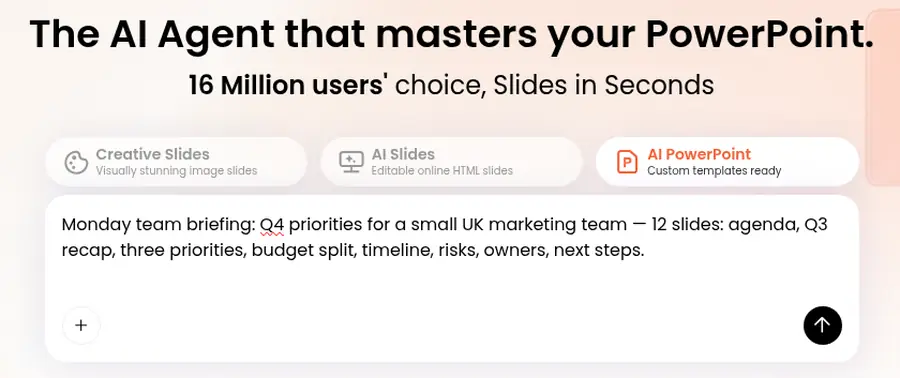
We used PopAi’s AI PowerPoint mode on a free account and typed one sentence, word for word:
Monday team briefing: Q4 priorities for a small UK marketing team — 12 slides: agenda, Q3 recap, three priorities, budget split, timeline, risks, owners, next steps.
We did not upload a file, pick a template or give it any of our own figures. We wanted to see what it would do with a thin brief, because that is how most decks start.
What happened next
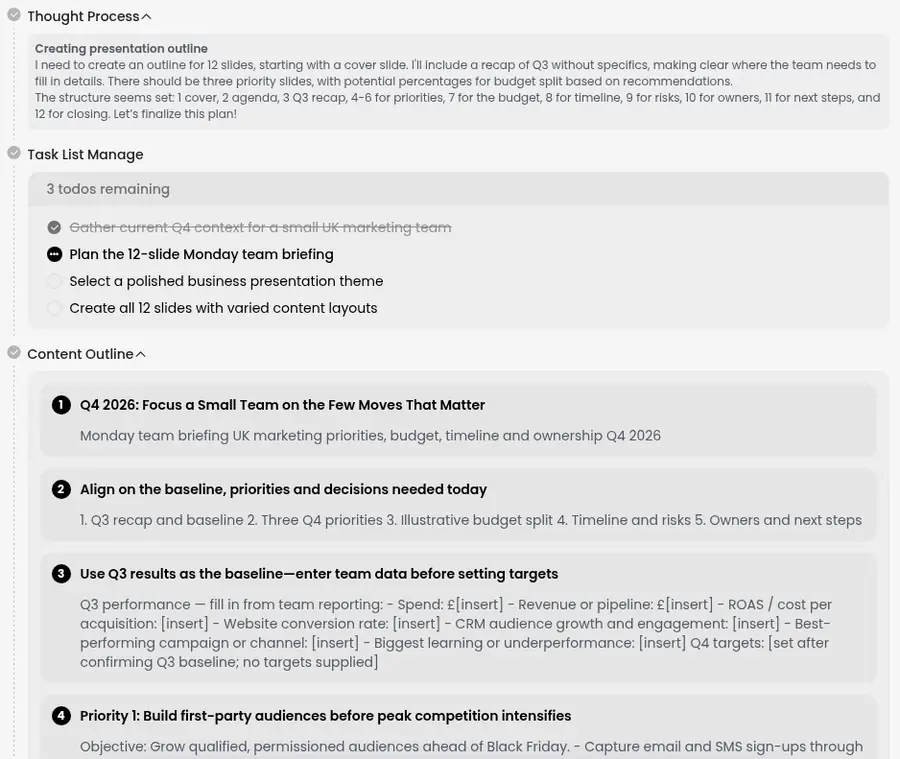
PopAi did not ask us anything. It ran some automatic web research on UK marketing in the fourth quarter, wrote itself a short to-do list, planned a slide-by-slide outline and picked a theme on its own. There was no pause to approve the outline and no separate template dialog. From pressing enter to a finished draft took about five minutes, and much of that was the research step.
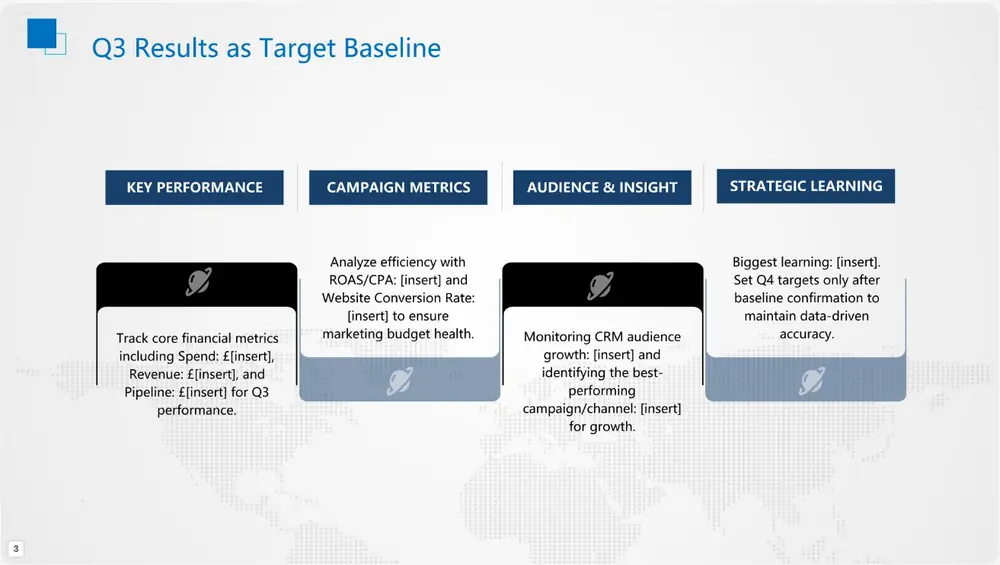
The outline is worth reading before you look at the slides. It followed our list closely, and where it had no data it left gaps rather than making numbers up: the Q3 recap slide is a list of £[insert] fields for spend, revenue and conversion, with a note not to set targets until the real Q3 figures are in.
The draft itself
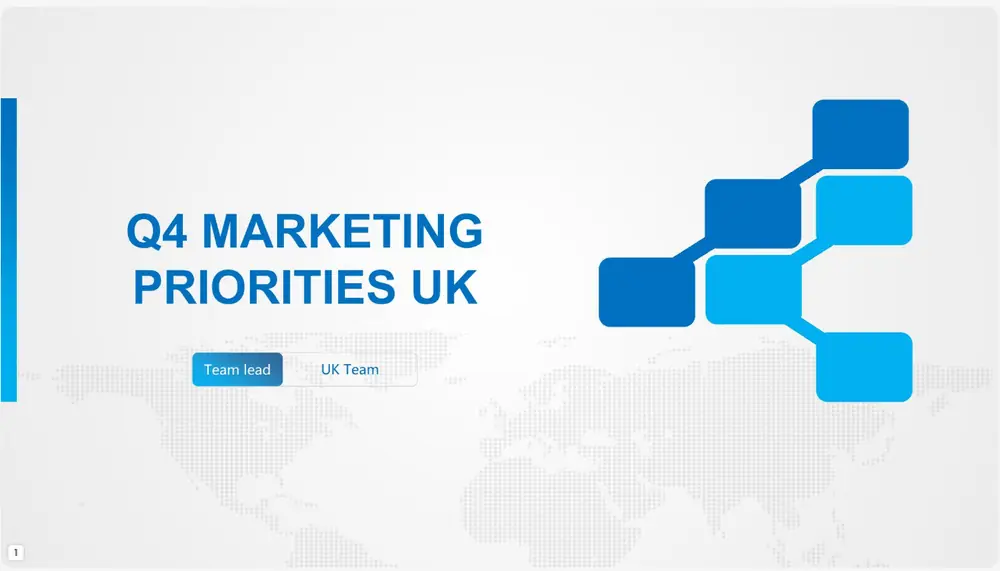
We asked for 12 slides and got 13: PopAi added a closing slide and said so when it finished. The styling was consistent across the deck — a clean blue-and-white corporate look — and the structure was what we had asked for: a cover, an agenda, the Q3 baseline and three priority slides.
It was not ready to present. The Q3 slide is the weakest: four columns of small text, some of it running across the decorative shapes behind it. You would rebuild that slide before showing it to anyone.
The priority slides read better. The first one, on building first-party audiences, is a clear four-step layout. But it shows the other problem with a thin brief: PopAi assumed we were a retail or e-commerce team gearing up for Black Friday, which we never said. It also used American spelling (“Optimize”), which a UK team would correct.
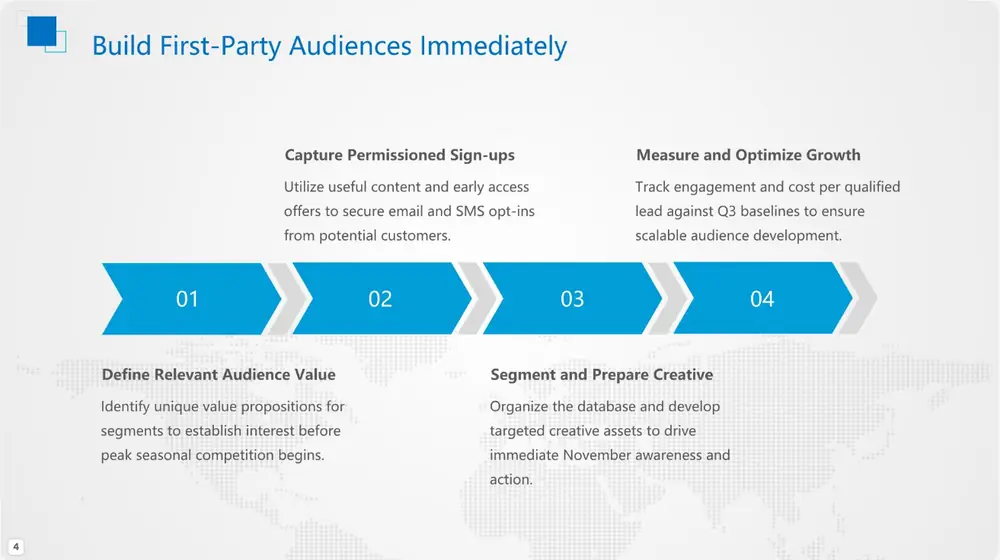
On the plus side, it did not invent people or results. Owners were given as roles rather than made-up names, and the budget slide was labelled as illustrative. Any dates or seasonal claims it pulled from its research still need checking against your own sources.
What the free account does, and doesn’t, include
This is the part to know before you start. On our free account:
- Slides 1 to 6 were visible. From slide 7 onwards the preview was blurred, with a prompt to unlock all 13 pages.
- The account showed 250 credits when we began and 0 after one deck. PopAi’s own plans page describes the free tier as 300 credits, about one presentation in total.
- Pressing Download opened the upgrade page rather than a file. Full PPTX and PDF export, unblurred previews and watermark removal are listed under the paid Plus plan.
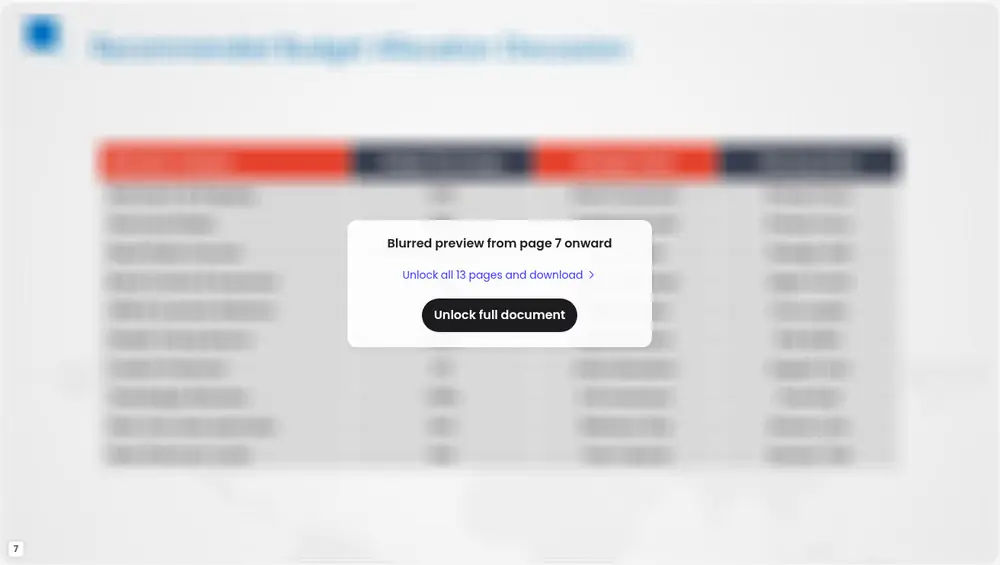
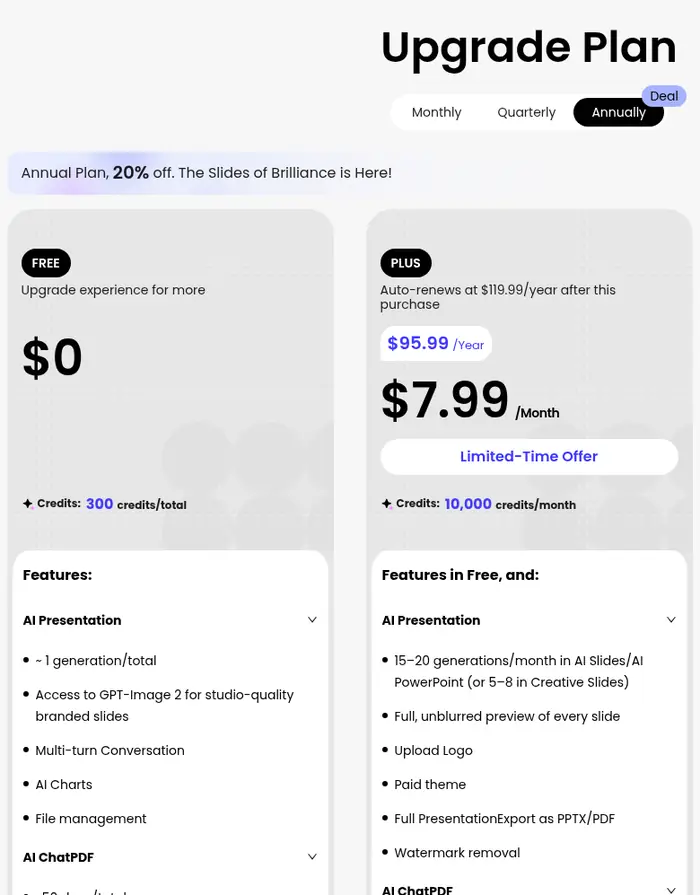
So the free account is a fair way to see whether PopAi’s first draft suits the way you work. It is not a way to get a finished PowerPoint file for nothing. We did not pay, so we have not tested the exported file or how it looks once downloaded.
Compared with starting in PowerPoint
| Blank PowerPoint | PopAi, free account | |
|---|---|---|
| Outline | You write it | Planned for you from the brief |
| Design | You choose and lay out | Theme chosen automatically |
| Your numbers | You type them in | Left as blanks to fill in |
| File you keep | Yes | No — export needs a paid plan |
Based on one test deck. Not a timed comparison.
Our verdict
For getting past a blank deck, PopAi did the job: a sensible outline and a consistent-looking draft in about five minutes, with blanks where our real numbers belong. It still needed a person — one cramped slide, assumptions we hadn’t asked for and US spelling — and the free account only lets you see the start of the result.
Good
- Followed the brief’s structure closely
- Placeholders instead of invented figures
- Consistent styling with no design work from us
Not so good
- 13 slides when we asked for 12
- Retail and Black Friday assumptions
- Free: 6 slides visible, no download
Opens PopAi’s website. One free deck; export is on paid plans.
If you try it
Give it more than we did. Say what your team actually does, paste in your real figures, and say you want UK spelling. A thin brief got us a tidy, generic draft; a specific one should need less fixing. Then read every slide as you would a colleague’s first pass, because that is what it is.
If you have a deck due, you can try PopAi’s free account on their website and judge the outline for yourself.
Tested on a free PopAi account on 10 November 2026. Plan details and prices were read from PopAi’s upgrade page on the same day and can change. Spotted something out of date? Email contact@deskbrief.co.uk.